
IPC Adds My Dashboard to IPC.org
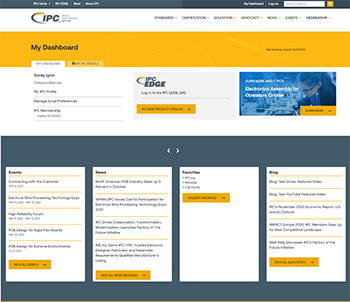
Key Summary
• IPC introduced My Dashboard to give registered users an easy way to manage personal and company information on the updated website.
• My Dashboard lets users update company details, job information and alternate email within a single location.
• Users can manage email preferences and clearly see their membership status through the new dashboard.
• IPC plans to expand My Dashboard into a centralized portal for purchases, education history and membership information.
• Logged in users are now automatically directed to My Dashboard for a streamlined site experience.
IPC launched our reimagined website in November 2020. As part of our plan to continuously improve and update www.ipc.org, we've added My Dashboard to allow registered users to view and update their information.
My Dashboard's current functionality allows a registered user to manage their company, job details and alternate email. Users will also find an improved process for managing their email preferences and a clear indication of their membership status.
Keep an eye on your My Dashboard. Throughout the year we will be adding functionality to create a centralized portal to more easily access information about your purchases, education history and membership status.
Now, when you log in to ipc.org you will automatically be directed to your dashboard. Take a look and let us know what you think by using the feedback tool.
My Dashboard is a new tool that allows registered users to manage their company details, job information, alternate email and preferences.
It provides a single place to update personal details, adjust email preferences and view membership status.
IPC will add access to purchase history, education records and expanded membership information.
When users log in to ipc.org they are automatically directed to My Dashboard.
IPC wants users to explore the new features and share feedback through the site’s feedback tool.